Bring your organization's model keys
Yekar.AI doesn't lock you to one model vendor. Bring keys for the providers you already use - Anthropic, OpenAI, Google, and more - and pick the right model per agent: a frontier model where judgement matters, a fast, cheap one where it doesn't.
Your keys stay yours, encrypted and write-only, and your model spend stays on your own provider bill. An organization administrator manages them under Settings → AI settings, which has two sections: Defaults and AI providers. What was spent on them is reported separately, under Settings → Plan & usage → Cost.
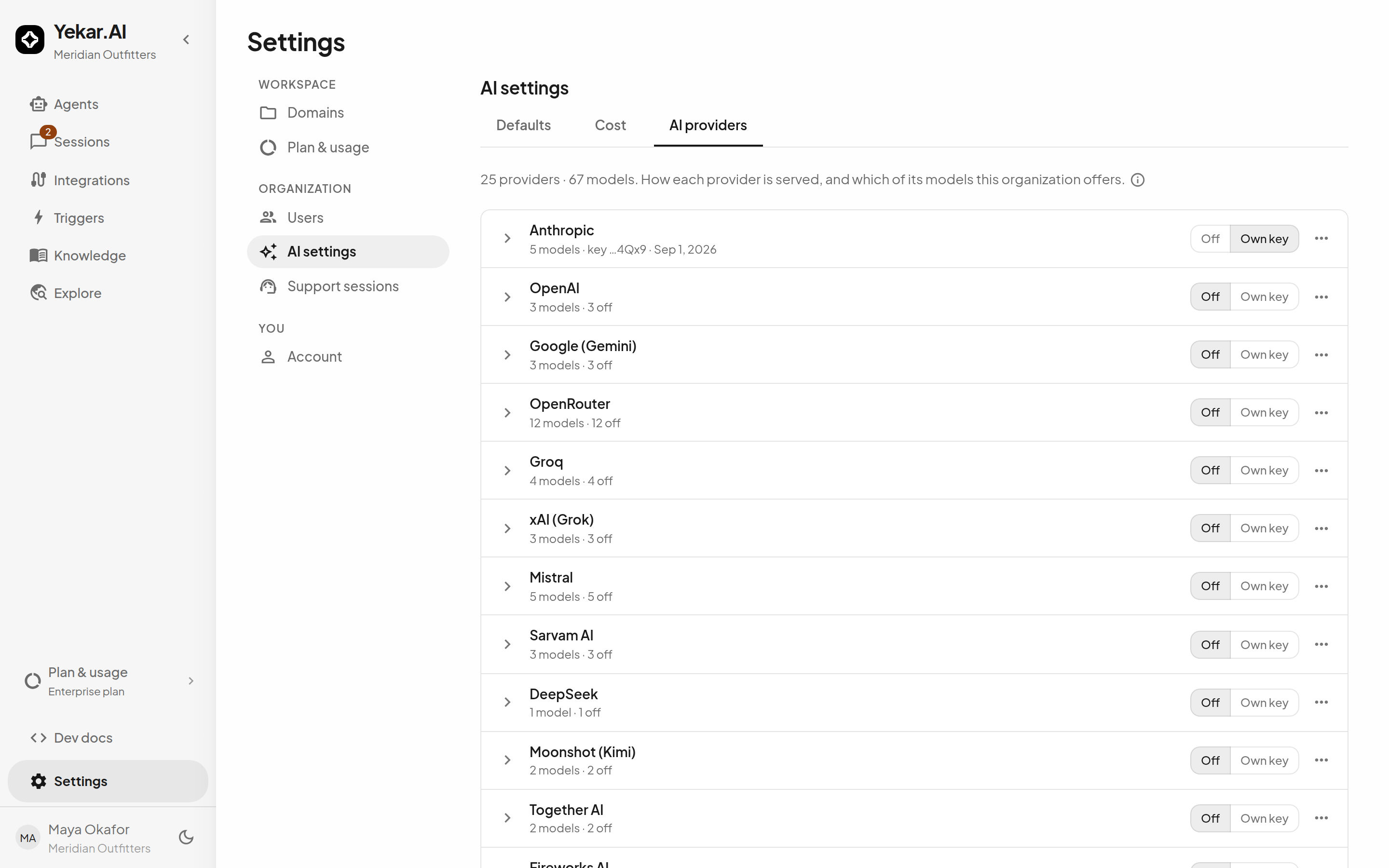
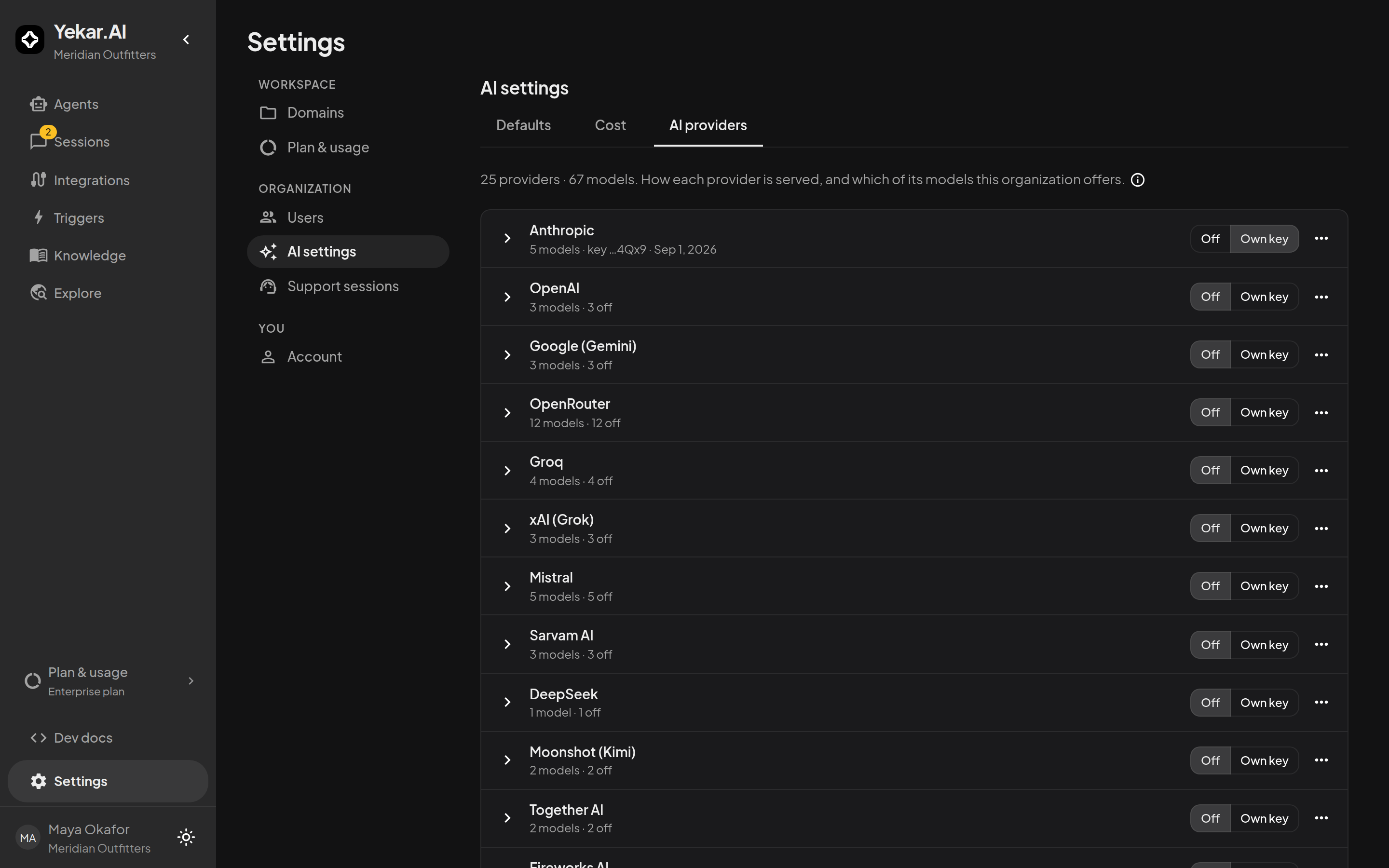
Available providers
| Provider | Served through | Notable for |
|---|---|---|
| Anthropic | Anthropic API | Claude Opus, Sonnet, Haiku, Fable - the engine default |
| OpenAI | OpenAI API | The GPT-6 family |
| Google (Gemini) | Gemini API | 1M-token context |
| OpenRouter | OpenRouter | One key across many upstream vendors, including open-weight models |
| Groq | Groq | Very low latency on open-weight models |
| xAI (Grok) | xAI API | Frontier tier with long context |
| Mistral | Mistral API | European hosting, code and vision tiers |
| Sarvam AI | Sarvam API | 22 Indian languages |
| DeepSeek | DeepSeek API | Strong reasoning at very low cost |
| Moonshot (Kimi) | Kimi API | Kimi K3 - 1M context, native vision |
| Together AI | Together API | Open-weight models |
| Fireworks AI | Fireworks API | Open-weight models, fast serving |
| DeepInfra | DeepInfra API | Open-weight models at lowest cost |
| Alibaba (Qwen) | DashScope (intl.) | The Qwen family |
| Cerebras | Cerebras API | Extreme inference speed |
| Cohere | Cohere compatibility API | Tool- and RAG-focused Command models |
| SambaNova | SambaNova API | Open-weight models, very fast inference |
| Novita AI | Novita API | Open-weight models at low cost |
| NVIDIA NIM | NVIDIA API | Open-weight models on GPU-optimized serving |
| Vercel AI Gateway | Vercel AI Gateway | One key across upstream vendors |
| Z.ai (GLM) | Z.ai API | GLM - agentic, long context, low cost |
| MiniMax | MiniMax API | Agentic coding at low cost |
| Upstage (Solar) | Upstage API | Korean and English |
| Amazon Bedrock | Bedrock Converse API | Any model in your own AWS account, on your own AWS bill |
Each is enabled independently and holds its own key, so an organization can run on one provider or several at once.
Amazon Bedrock
Bedrock works differently from every other provider here, because Bedrock itself does. Which models an AWS account can reach is enabled per account and per region, and an account may also hold imported, fine-tuned or provisioned-throughput models that exist nowhere else. So Yekar.AI ships no Bedrock model list. You register the models you want, and each one is yours to name.
Adding a model asks for:
| Field | What it is |
|---|---|
| Name | What appears in every model picker. Yours to choose - "Production Sonnet", "Cheap draft" |
| Bedrock model ID or ARN | A foundation model ID, an inference-profile ID, or the ARN of a custom model |
| Region | The Bedrock region the calls go to |
| Context window | The prompt budget every turn on this model gets |
| Accepts image input | Whether the model can see images |
| Prices (optional) | USD per million tokens, so spend on this model is reported rather than left unpriced |
| AWS credentials | An access key ID and secret access key, plus a session token for temporary credentials |
Register as many as you like. Two models on one AWS account means two entries with the same key, which is normal - the entry is the offering, and its credentials are part of it. Two AWS accounts means entries with different keys, and each model runs on the account you gave it.
The IAM identity needs bedrock:InvokeModel and bedrock:InvokeModelWithResponseStream on the models you register, and model access must be enabled in the Bedrock console for that region. A model that is not enabled fails with AWS's own access-denied message, which is a different thing from a rejected key and is reported as such.
A bare foundation-model ID is sent through the region's cross-region inference profile automatically, so anthropic.claude-sonnet-4-5-20250929-v1:0 in eu-central-1 is invoked as eu.anthropic.…. An ID you prefix yourself, and any ARN, is sent exactly as you typed it.
Registered Bedrock models are available until you remove them. Managed is not available for Bedrock; use your organization's AWS credentials.
Renaming a model is safe. Agents pin the entry, not the name, so work already using it keeps working. Removing one is not: anything pinned to it stops until it is pointed somewhere else, and the confirm dialog says so.
Provider states
Each provider is in one of three states:
- Off - the provider's models do not appear in any model picker, and nothing runs on it, even if a key is stored.
- Own key - your organization's key serves the provider's models. This is the working state. Bringing your own keys is a plan entitlement enabled per workspace: on a plan without it the row reads not available on this plan, no key can be added, and the provider runs only as Managed. Ask Yekar.AI to switch it on.
- Managed - runs on a Yekar.AI key using your organization's prepaid Credit balance. Offered models have effective managed rate cards.
Add a key by setting the provider to Own key and pasting the key (or, for Amazon Bedrock, the access key pair and region). Keys are write-only: the page shows a hint (…4Qx9) and the date, never the key itself - see Organization LLM keys.
Per-model toggles
Expand a provider to turn individual models on or off. A model that is off disappears from every Agent's LLM models picker - the pickers show only what the organization currently offers, so an author cannot select a model that will refuse at run time.
What agents actually run
An Agent pinned to a model runs that model. An Agent with no pin runs the engine default - currently Claude Opus 5 - resolved against your configured providers: if Anthropic is not configured for your organization, the default falls back to the most capable model of a provider that is, and a provider turned off is excluded from that resolution, key or no key. The LLM models picker always shows what the next turn will actually execute.
Decision models
Providers are listed in two sections. LLM models write replies and run every conversation. Decision models answer typed questions - yes or no, one of several answers, a level on a scale - with probabilities, and never write text. Agents use them for the decision steps of a Structured Procedure.


A decision model provider has the same three states as an LLM provider - Off, Own key and Managed - under the same rules: Own key is a plan entitlement, and Managed runs on a Yekar.AI key charged to your organization's Credit. A decision model is priced on the input it reads, since it writes no output.
With every decision model provider Off, Agents cannot have decision steps. Structured Procedures made of conversation steps are not affected. An Agent already published with decision steps stops with an error in its conversations until a decision model is available again or the Agent is published as Free text.
Image input
Not every model accepts images, and the catalog knows which do. When someone attaches an image in a session running a model without image support, the turn does not fail: the image is omitted and the message states so in the conversation, naming the model - so the Agent can tell the user what happened instead of silently pretending it saw the picture. For image-heavy work, pin the Agent to a vision-capable model (the Claude, GPT-5, and Gemini families all accept images; many open-weight and code-focused models do not).
What the provider keeps
Whichever key a call runs on, Yekar.AI asks the provider not to keep the request wherever its API has a way to say so, and otherwise what the provider retains follows its own terms for the account whose key ran the call - your agreement on Own key, Yekar.AI's on Managed. The provider-by-provider table is in Data lifecycle.
Tips
LLM_NOT_CONFIGURED means the organization has no usable own key for the selected model's provider, or the provider is Off. LLM_MANAGED_UNAVAILABLE means Managed access is unavailable; contact Yekar.AI. LLM_MANAGED_RATE_CARD_UNAVAILABLE means the selected model has no available Managed pricing. See Troubleshooting.