Bring your own model keys
Your model keys stay yours. Yekar.AI stores them encrypted, uses them only at the moment a turn runs, and never hands them back - reads return which providers are configured, not the secret itself. That holds whether the credential is one bearer key or, for Amazon Bedrock, an AWS access key pair with its region: every part is sealed in the same envelope, and only the access key ID's last four characters and the region remain readable.
Amazon Bedrock is stored the same way, with one difference: its models are registered individually, each with its own AWS credentials and region, because an AWS account decides for itself which models it can reach. Only the last four characters of an access key ID and the region are ever readable back.
That means your model spend sits on your own provider bill, under your own rate limits and your own data-processing agreement with that vendor. Nothing about your prompts or your usage is pooled into someone else's account.
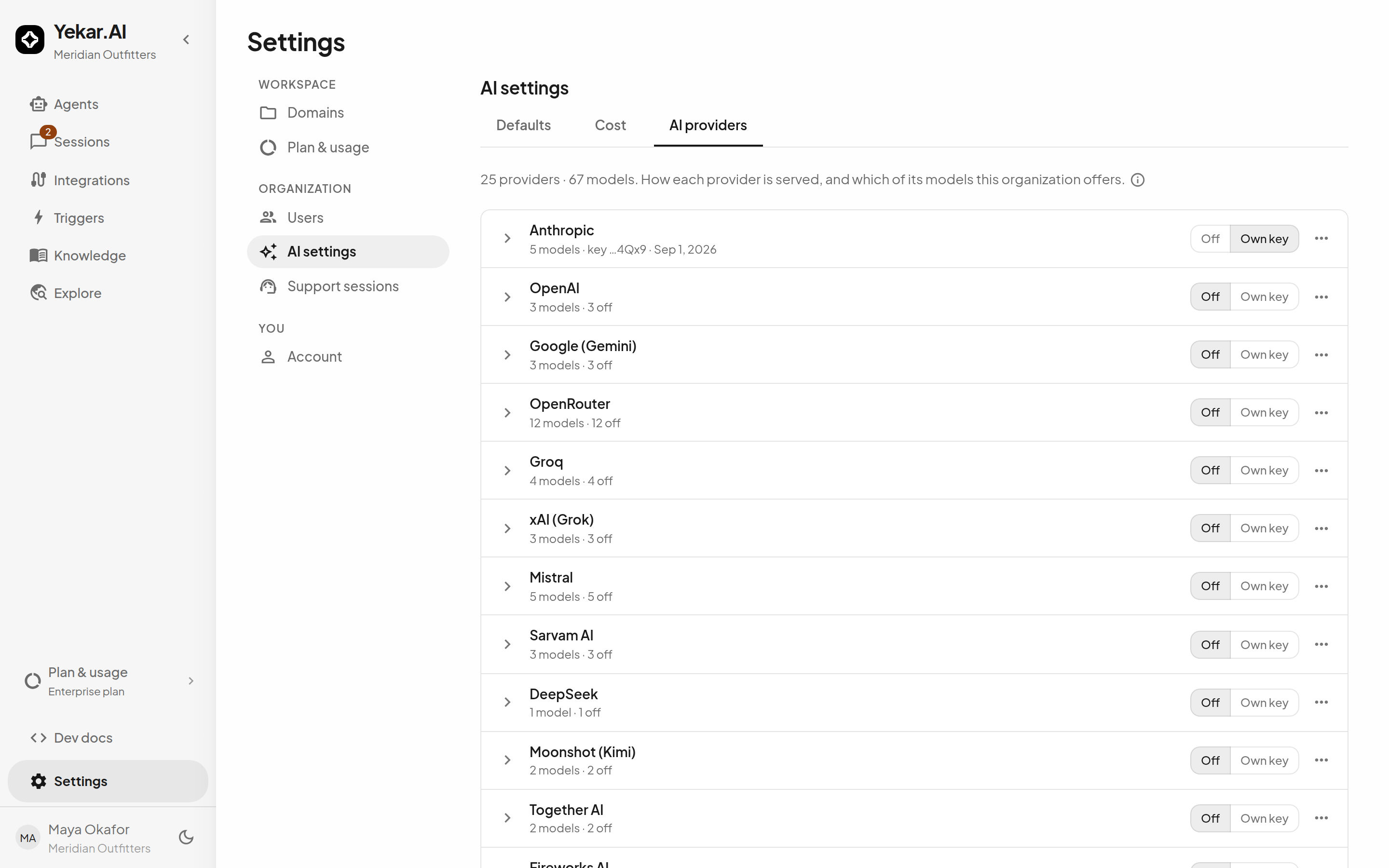
Three states, chosen per provider
An organization admin sets each provider under Settings → AI settings → AI providers. Until someone chooses, a provider is Off - a stored key alone never turns one on, so an old key can't quietly start costing money.
| State | What it means |
|---|---|
| Off | The provider's models aren't offered and won't run, even if a key is still stored |
| Own key | Runs on your organization's own API key |
| Managed | Runs on a Yekar.AI-provided key, where Yekar.AI has installed one for that provider |
The state is checked before the key, so turning a provider off stops its models immediately. Removing the stored key is a separate, deliberate action.
You can also turn individual models off within a provider - useful for keeping an expensive frontier model out of everyday agents. A model that's off disappears from the pickers, and a saved selection that later becomes unavailable stays visible and disabled rather than silently changing what runs.
Managed is selectable for supported models with available pricing. Calls use your organization's prepaid Credit balance. If Managed service is unavailable or Credit is insufficient, the call stops without falling back to your own key.
Predictable failures
If a model's provider has no key, the turn stops with LLM_NOT_CONFIGURED before any model call is made - no partial spend, no silent substitution of a different model. There is no fallback to any other key, so what runs is exactly what your organization configured.
A key that exists but is rejected by the provider is a different, separately named failure. That distinction is what stops an expired key from looking like a configuration problem, and vice versa.
Managed access is handled by Yekar.AI. You do not need to supply a provider key for models using Managed.
Where to go next
- AI providers - adding a key and setting organization defaults.
- Config - choosing a model per agent.