Agents
An Agent is a colleague you brief once. You write a Procedure - ordered instructions, in your own words - add Principles it must never break, and reference the tools it may use inline. From then on it works each request out for itself, calling those tools as needed, inside the guardrails you set.
Agents earn their keep on the work that eats your team's day and never quite justified an engineer: triaging a support inbox, answering where-is-my-order, chasing a delayed carrier, summarising a case before a human picks it up. Start from a curated agent in Explore and you can be live this afternoon; where Agent Builder is enabled you can describe the job instead and review the draft it writes. When a job has a fixed shape instead - the same steps, the same order, every time - reach for a Flow.
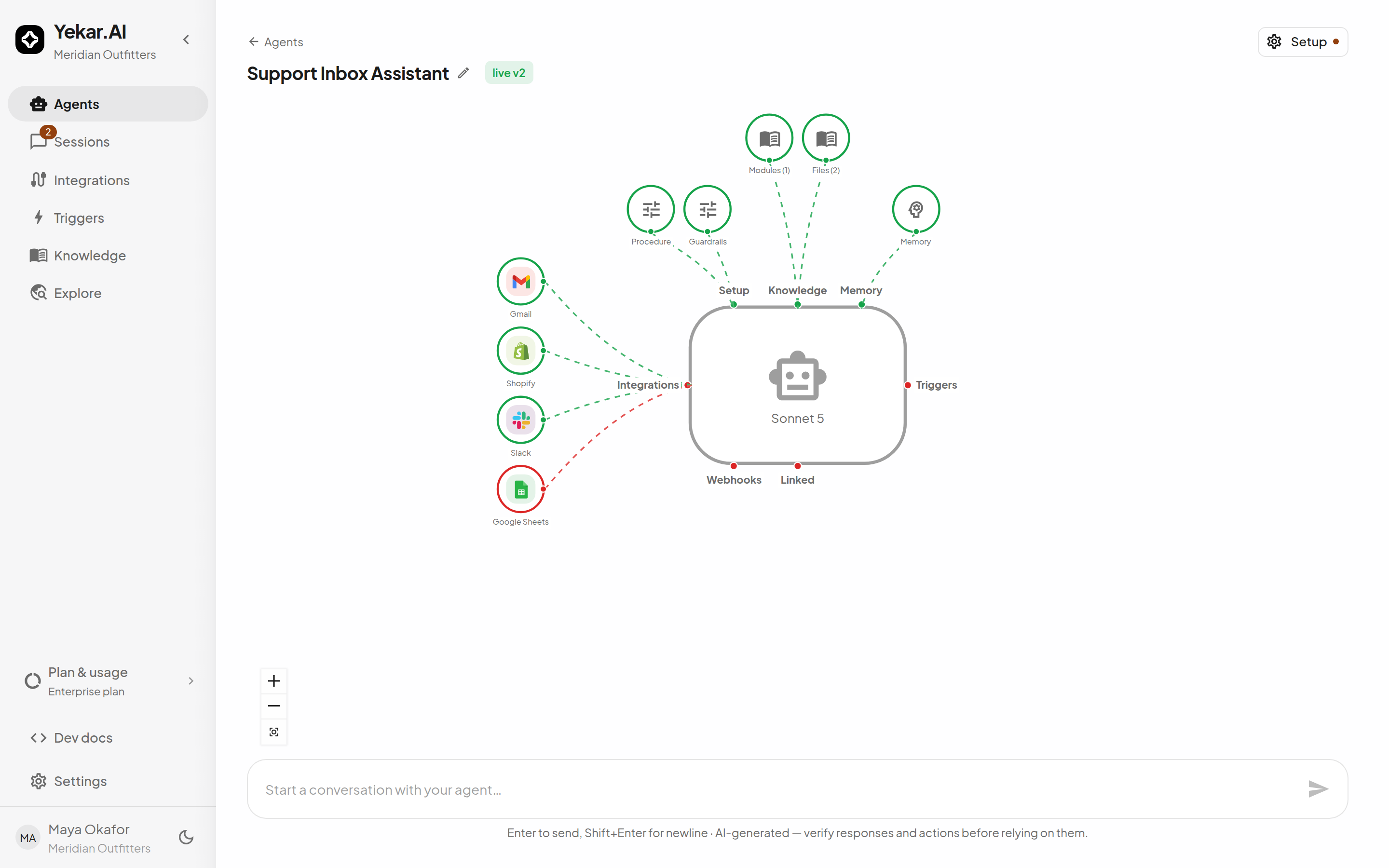
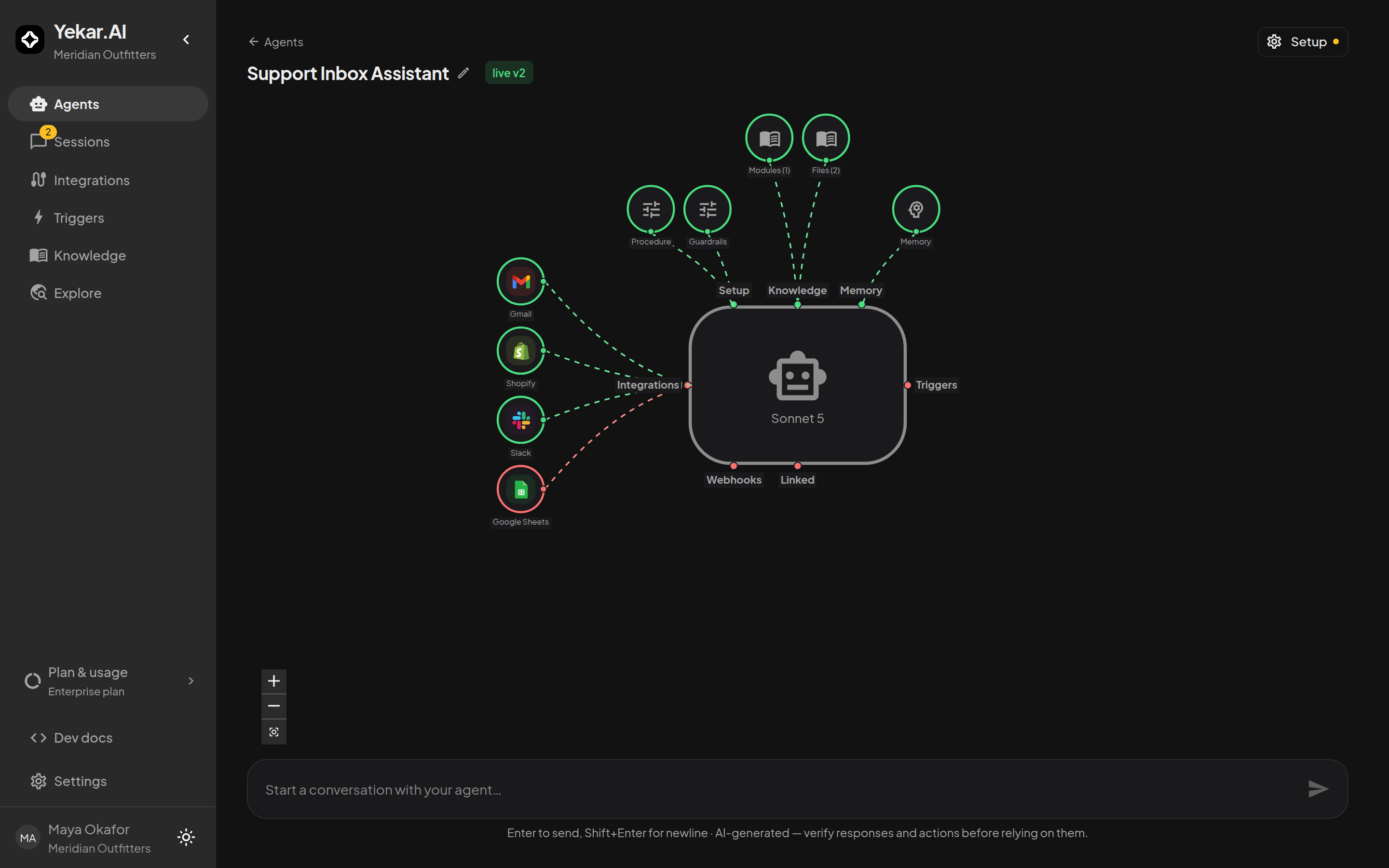
The page's centerpiece is the Agent's anatomy: a live map of everything wired into it - its model, the Setup's Procedure and Guardrails, knowledge files, memory, each bound integration, triggers, webhooks, and golden eval cases. Select any node or label to open the matching section of the Configure workspace; Setup in the header opens the same workspace, whose grouped section nav lists every section down the left of the content pane. The Agents list is a different view - one row per agent with its status, open sessions, approvals, integrations and last session - not the anatomy in miniature.
Anatomy of an Agent
The Agent page offers configuration and operational navigation appropriate to your permissions. Setup holds the draft - what you edit and publish; the other sections work on live state and take effect without a publish:
| Control | What it holds |
|---|---|
| Setup | The draft, in five panels: Procedure, Principles, AI (model, response mode, limits), Settings (memory switch, approvals, output shape) and History. Publish and Test drive live in its footer. |
| Files, Knowledge, Learned rules | Three sections under Always live in the Setup workspace's nav: uploaded files the Agent can read, the organization knowledge it binds, and the rules it has learned. Applies to all versions - no publish needed. |
| Memory | The Agent's accumulated cases: search, open/closed states, cleanup. |
| Evals | Tests the Agent is checked against before you publish, their checks, and every run of them. |
| Health | What the Agent did in production: where answers came from, what was repaired, and how each Setup revision compares. |
| Integrations | The integrations derived from Procedure tool references, and whose account each one runs as. |
| Triggers | Schedules, API triggers, and event triggers this Agent is subscribed to. |
| Webhooks | Outbound webhooks fired when this Agent's work completes or fails. |
| Linked | Calls between this Agent and the other agents and flows it fires or is fired by. |
| Sessions | A link out to the Sessions list, filtered to this Agent. |
For people with edit permission, live v2 in the header names the published revision new sessions run. Unpublished draft changes are not a second chip: the Setup button carries an amber dot (its tooltip reads Unpublished changes), and inside the Setup workspace the same dot sits in the section nav beside each section whose draft differs, with the section's heading marked Draft (hover it for Unpublished changes - publish to apply). On a phone the Configure home adds a bar reading Unpublished changes with a Review & publish button that opens the Procedure section, where Publish lives.
Access to configuration
Every domain member can inspect an agent's configuration and revision history. Editors and Owners can create, edit, publish, archive and use Builder. Viewers and Operators see the Markdown, JSON and form components with editing disabled, without draft-version labels or unpublished-change dots. The Integrations configuration entry is available to domain Owners; Operators and above can manage triggers and webhooks. See Roles and permissions.
The lifecycle
- Create the Agent in a domain - the domain decides which team accounts and members it works with.
- Write the Setup - the draft autosaves as you type and never goes live on its own.
- Test drive the draft in a real conversation with real tools.
- Publish - a numbered revision becomes what every new turn runs.
- Run and monitor sessions, decide approvals, and iterate: edit the draft, publish again.
Each part has its own page in this section:
- Procedure & Principles - writing instructions and referencing tools
- Knowledge, memory & web search
- Integrations & identity - whose account each tool call uses
- AI & Settings - model, limits, output shape, approval gating
- Test drive & publish - drafts, revisions, history
- Evals - tests, their checks, runs, and requiring passing tests to publish
Where Agents run
Every published Agent can be run from its own composer, from Sessions → New session, on a trigger, over the API, or from another agent or flow. Each conversation is a session; see Sessions for following the work.