Whose account the Agent acts as
An Agent's integrations come from two places: the ones you choose in the Integrations section with Add integration, and the ones its Procedure references - every # tool reference adds the tool's integration. The section lists them in two groups - Added here and From the procedure (an integration the Procedure references sits there even when you also added it) - and shows for each one whose credentials its calls run with. An Added-here integration leaves through its row's ⋮ → Remove from this agent; one from the Procedure leaves only when the reference does. Both kinds bind when you publish - a row added since the last publish reads Added at publish.
A blank Agent picks its first integrations on the way in - the Integrations step of New agent offers every integration the domain can use, marking the ones nobody has connected yet - and starts with every write tool of those integrations set to ask the person in the chat before it runs (Gate the risky writes). An Agent needs no Procedure to use its tools: with the Procedure switched off or not yet written, each message decides which tools it uses.
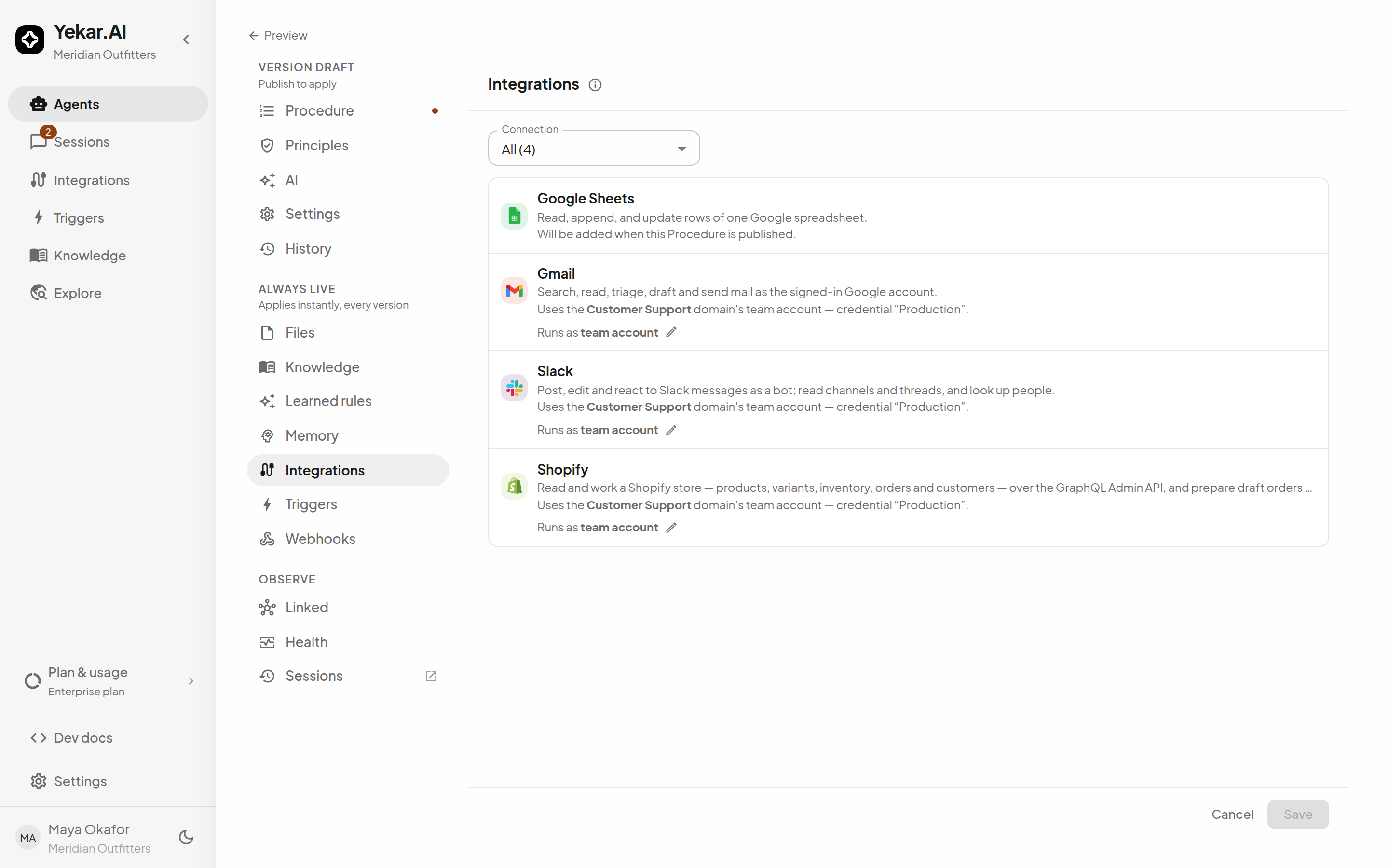
The Integrations configuration panel requires the domain Owner role because it manages shared connection information. Its navigation entry is hidden for Viewers, Operators and Editors. Authoring the agent's Procedure and tool references separately requires Editor or Owner access. See Roles and permissions.
The identities you choose between
For each integration, Runs as selects the identity:
- The domain's own name (Customer Support, Finance - the option reads Domain account where the name is not loaded yet) - calls use the team account connected to the Agent's domain, a service connection managed by that domain's owners. This is the default.
- The person using it - calls use the sign-in of whoever is running the Agent, with the domain connection's settings and enabled tools. Two people chatting with the same Agent send from their own mailboxes. Each member signs in once under My account on the Integrations screen; nothing is needed from a domain owner first, because personal sign-in is on by default (an owner can turn it off per integration under Personal sign-ins). Beside it, choose what happens for someone who hasn't signed in: Fail if they haven't signed in (the default - the tool fails with a sign-in link) or Fall back to the domain, which uses the team account and says so.
- API caller (token on each fire call) - the credential arrives on each API fire call and is scoped to that one execution, so different customers of your product can each act as themselves (see Caller credentials). Beside it, If no credential is sent decides what a fire without one does: Fall back to the domain (the default) uses the team account and says so, while Fail the run (credential required) never falls back - the isolation guarantee the mode is usually chosen for, at the cost that such a binding cannot run unattended.
There is no fallback between identities that you did not choose. A missing account stops the call - with a named error where one exists, and otherwise by leaving that integration's tools out of the turn - instead of blending identities.
Platform (managed by Yekar.AI) can also appear on Yekar.AI-managed integrations, but it is assigned by the system rather than chosen here.
On a plan that permits a single domain, Runs as offers no The person using it option and no domain names: there is one team account and nothing to choose between. See Identity.
An Agent bound to The person using it runs unattended as the person who created the trigger, while that identity remains available. If it cannot resolve, the configured policy either falls back to the domain account or skips the fire with a reason in the trigger's run history. See Identity.
A schedule also needs the Agent's published Procedure switched on: a schedule only says when, and an Agent running without its Procedure has nothing to do at that time. Its Triggers section offers Event and API triggers only while the Procedure is off, and a schedule it already holds is skipped as procedure off until a version with the Procedure on is published.
Connect what the Agent needs
The drawer tells you, per integration, which account it resolves to and which named credential would be used - "Uses the Customer Support domain's team account - credential Production". If the domain has no connection, the line reads Team account isn't connected with a Connect it link to where one is connected, and the Connection filter at the top narrows the list to Connected or Not connected so a long tool belt shows its gaps first. Connecting accounts is covered in Connect an integration.
Gate the risky writes
Any tool the Agent holds - read or write - can be made to stop for a human decision before it runs, per tool, in Settings. In an attended conversation using the initiator's own or the domain's credentials, this is a confirmation for that person. Otherwise it is an approval routed by credential authority. An organization Owner or Admin can additionally require approval for a tool across every Agent via Tool approvals; an organization requirement always takes precedence over an agent confirmation and no Agent can remove it, and it can ask for more than one approver on each call.
Tips
If a session fails with SERVICE_CONNECTION_MISSING, the Agent runs as its domain's team account but that domain has no usable connection - connect the integration for that domain. If a banner above the composer says the Agent runs as you and you have not signed in, or that a domain owner has turned off personal sign-in, that is a person binding that cannot resolve - it has no error code, and the banner links the one person who can fix it. See Troubleshooting.
Ask an Agent for something it has no tool for - "can you search the web?" - and it is told the real state rather than left to invent setup steps: whether the integration exists in your workspace but is not bound to this Agent (someone who can edit the Agent adds the reference under its Procedure or Integrations, then publishes) or is not connected for its domain at all (a domain Owner connects it on the Integrations page first), together with a link to the page where that happens, so it can say so.